
LinkedIn Patches #65 Answer & Analysis
Stuck on LinkedIn Patches #65? Get spoiler-friendly Patches hints, the final grid solution, and a clear step-by-step explanation for today’s LinkedIn Patches puzzle.
This page includes the final answer and full analysis for LinkedIn Patches #65. Use the hints first if you want to solve the puzzle before revealing the answer.
LinkedIn Patches #65 Hints
In Patches puzzles, the corner-adjacent regions are usually the easiest to lock in first. For today's Patches solution, look for the largest shapes that have only one or two possible edge placements.
The upper part of the grid has a strong left-to-right split. One region is forced into a compact block on the left, while another must stay tight against the right edge. That leaves very little freedom in the middle.
A narrow central strip acts like a wall between the upper regions and the lower regions. Once you identify that divider, it becomes much easier to see which cells cannot belong to the larger patches.
The left edge below the main top block can only support one connected vertical patch. That restriction helps prevent isolated cells and quickly removes impossible shapes nearby.
After the major blocks are placed, the remaining space in the lower-right section settles into simple horizontal bands. If a cell would break connectivity or leave a gap, it is the wrong choice.
Still Stuck? Click on Reveal Patches #65 Answer below.
LinkedIn Patches #65 Answer
Original Puzzle
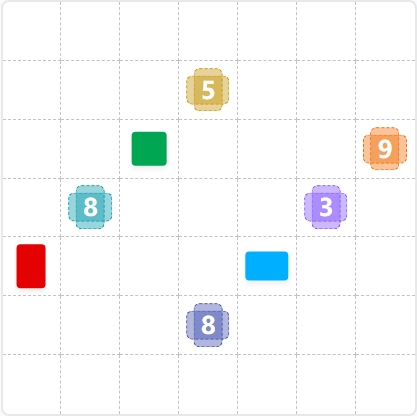
Final Answer

How to Solve LinkedIn Patches #65
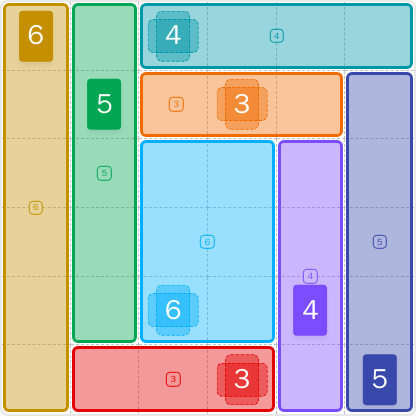
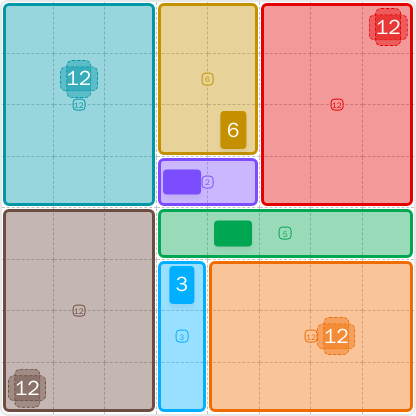
Previous Patches Answers

Play Unlimited Patches Games
Enjoy unlimited Patches and other puzzle games anytime. No daily limits, just endless fun!
Play Now - Unlimited GamesMore LinkedIn Games Answers for May 21, 2026


Patches #65 FAQ
The LinkedIn Patches answer for #65 on 2026-05-21 15:02:24 is a clean 6x6 partition with strong corner blocks, a central divider, and horizontal bands in the lower-right area.
Start with the most restricted corner and edge regions, then use the center strip to separate the board into top and bottom halves. The full step-by-step guide above explains the logic behind today's Patches solution.
Focus on corners, edge pressure, and connected space. The best LinkedIn Patches #65 hints are the ones that show which regions have almost no flexibility.
The numbers tell you how many cells each patch must contain. A valid patch must match its number exactly while staying connected.
R means row and C means column. So R2C7 means row 2, column 7. In Patches grid solutions, coordinates help identify forced cells clearly.
Look for forced edge placements first, avoid leaving isolated cells, and build from the largest constrained regions outward. That is the fastest way to handle today's LinkedIn Patches puzzle.
This page is designed as a daily Patches puzzle guide with hints, the LinkedIn Patches FAQ, and a clear summary of the solved layout.