
LinkedIn Patches #61 Answer & Analysis
Stuck on LinkedIn Patches #61? Get spoiler-friendly Patches hints, the final grid solution, and a clear step-by-step explanation for today’s LinkedIn Patches puzzle.
This page includes the final answer and full analysis for LinkedIn Patches #61. Use the hints first if you want to solve the puzzle before revealing the answer.
LinkedIn Patches #61 Hints
On a 6x7 grid, corner-anchored patches and edge-hugging patches are usually the first to lock in. Look for shapes that cannot expand in more than one direction.
The small clue patches near the top-left, mid-left, and lower-middle have fewer placement options than the larger ones. Place those before you try to fit the open regions.
One large patch has to occupy the broad central-right area. It acts like a divider, so once it is placed, the remaining space breaks into much easier connected regions.
The right side contains a narrow patch that only fits cleanly when the center is already shaped correctly. If you leave it too long, you will create isolated single cells.
For LinkedIn Patches #61, the final pass should confirm that every colored patch is one connected group, the exact cell counts match, and no empty gaps remain. That is the fastest way to verify today's Patches solution.
Still Stuck? Click on Reveal Patches #61 Answer below.
LinkedIn Patches #61 Answer
Original Puzzle
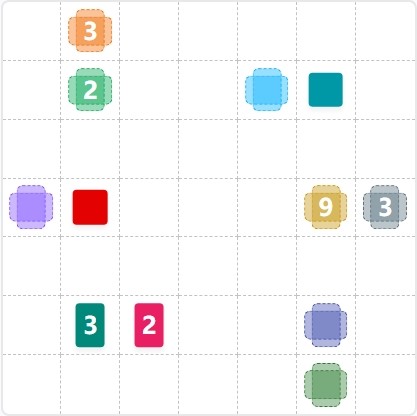
Final Answer

How to Solve LinkedIn Patches #61
Previous Patches Answers
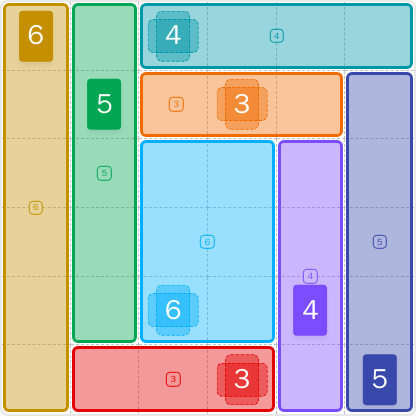

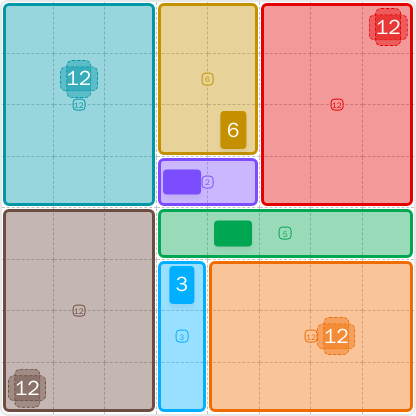
Play Unlimited Patches Games
Enjoy unlimited Patches and other puzzle games anytime. No daily limits, just endless fun!
Play Now - Unlimited GamesMore LinkedIn Games Answers for May 17, 2026


Patches #61 FAQ
The full LinkedIn Patches answer for #61 is shown on this page in the solved layout section. It matches today's Patches solution for 2026-05-17 15:03:38.
Use an edge-first approach: place the most restricted patches first, then fit the large center region, and finish with the remaining connected areas. That is the fastest way to read today's LinkedIn Patches puzzle.
The best LinkedIn Patches #61 hints focus on corners, narrow edge spaces, and the large center divider. Those are the parts that limit the rest of the board.
The numbers show how many cells each patch must contain. Every patch in the final grid must be connected and must match its required cell count exactly.
R2C7 means row 2, column 7. Rows go from top to bottom, and columns go from left to right. Coordinate labels make grid solutions easier to describe.
Start with the most constrained patches, avoid creating isolated cells, and check the board in connected regions instead of one square at a time. That approach works well for Patches solutions and daily grid puzzles.
The page includes a short Patches puzzle guide, helpful hints, and the solved layout so you can compare your work with the final grid.